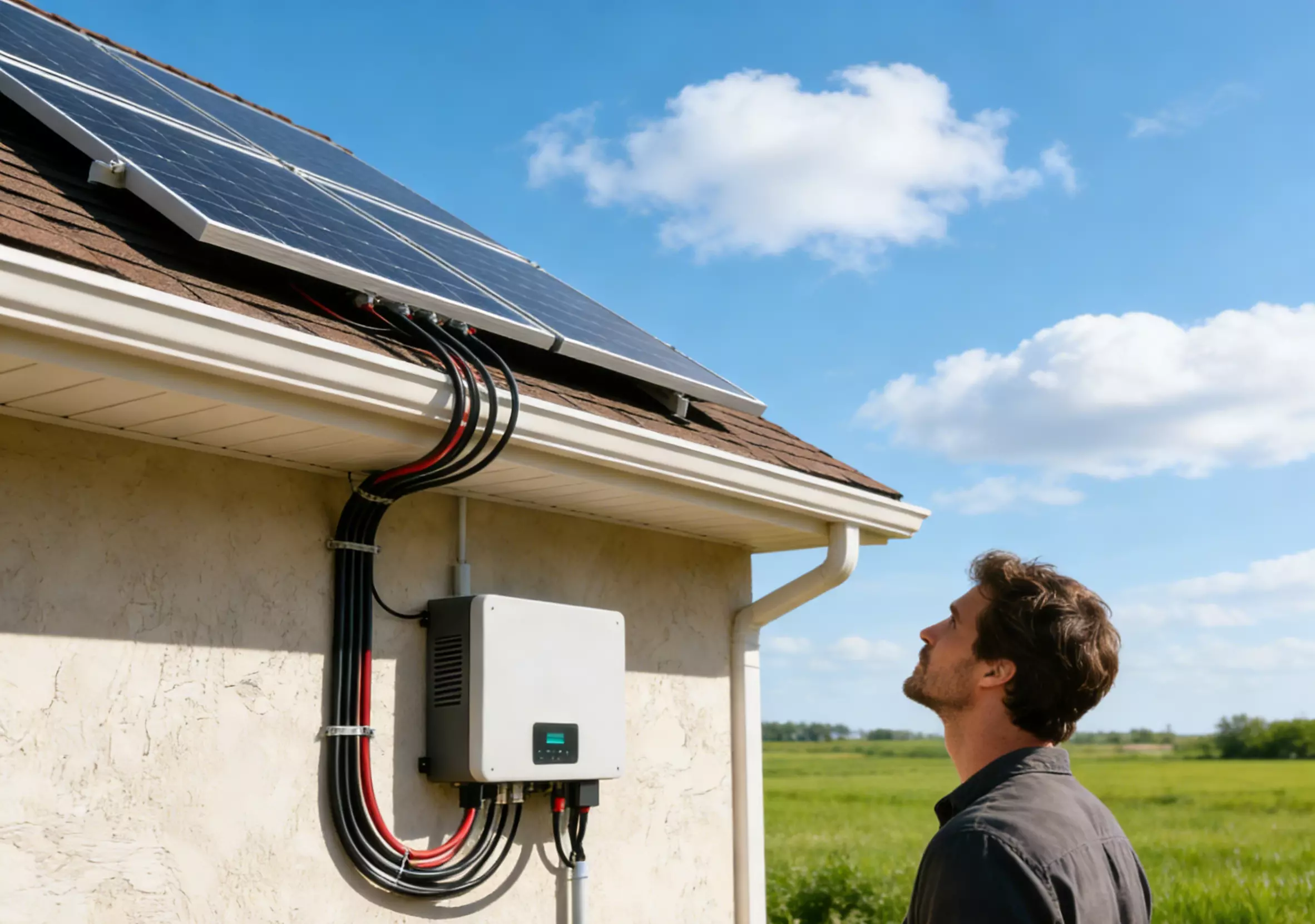
When the solar system in your home suddenly "stops generating electricity", the inverter screen is not on, and the alarm keeps ringing, this usually means that there is a problem with the core component of the whole system, the solar inverter.
An inverter is like the brain of a solar system. Once it "strikes", your entire power generation system will come to a standstill.
This "solar inverter troubleshooting guide" will help you:
- Learn to judge common faults
- Use the basic steps to quickly locate the problem
- Understand the meaning of inverter error codes
- Judge which problems can be DIY and which must be called by a professional electrician.
- Extend the service life of the inverter
- When should we consider upgrading or replacing the equipment?
This guide refers to the general process of the industry and combines it with actual installation cases, which is more suitable for home users to read and operate.
I. Why do you need this inverter troubleshooting guide?
With the rapid popularization of home photovoltaics, inverters have become irreplaceable core equipment in the home energy system.
However, inverter failures often have sudden, hidden and difficult-to-judge causes:
- Inverter no power output → "back to the era of power outage" at home in an instant
- Inverter error codes (error code) fell out, but I can't understand it at all.
- The battery is not charged → the electricity consumption at home at night is affected
- The sunshine is good during the day, but the power generation is obviously low.
- Random tripping, restarting, louder noise, overheating shutdown...
Users often don't know that the problem comes from panels, lines, inverters, and even power grids.
And delayed processing will lead to:
- The parts are burned.
- The cost of maintenance is rising
- The health of the battery declines
- The power generation of the whole system is reduced for a long time.
II. Basic functions and common fault sources of inverters
Before starting the troubleshooting, we need to understand: what exactly is the inverter responsible for?
- Direct current (DC) → alternating current (AC) generated by the solar panel
- Provide the output power required for household appliances
- Adjust the working status of MPPT according to the light
- Monitoring battery charging and discharging (hybrid/energy storage system)
- Synchronize with the power grid and connect to the grid according to regulations
The root causes of common faults
| Failure Source | Description |
|---|---|
| ① DC-to-AC conversion failure | Insufficient PV input or internal inverter damage |
| ② Over-heating / poor ventilation | Aged fan, blocked airflow, high ambient temperature |
| ③ Voltage / battery / config. mismatch | Wrong battery voltage, under-sized cables |
| ④ External wiring issues | Loose, aged or corroded DC/AC connections |
| ⑤ Grid-connection problems | Unstable grid, frequency deviation, impedance mismatch |
| ⑥ Software / firmware anomaly | Incorrect settings or outdated firmware version |
III. The 8 most common inverter faults & quick diagnosis guide
The following can be used as your "one-click troubleshooting list", which is very suitable for home DIY troubleshooting.
1) Solar inverter not working
Common symptoms:
- The screen is black
- No power output
- App shows offline
Possible reasons:
- DC input without voltage
- Main switch / fuse tripping
- Virtual connection of the cable
- Internal damage of the inverter
Troubleshooting steps (can be DIY):
- Check whether the DC switch is turned off
- See if the panel is covered and dusty.
- Check the battery voltage with a multimeter (if there is an energy storage system)
- Restart the inverter
2) Random restart of the inverter / frequent power outages during the day
Common symptoms:
- Normal power generation → random shutdown → restore
- The wall-mounted machine is very hot when touched.
- The hot weather is brighter.
Possible reasons:
- Overheating protection trigger
- Internal fan failure
- Poor heat dissipation around the inverter
- The load fluctuates too much.
Solution (DIY):
- Clean up the dust
- Make sure that at least 30cm of heat dissipation space is reserved around the inverter.
- Check whether high-power electrical appliances are connected to cause instantaneous overload.
Must be a professional:
- Replace the fan
- Thermal management module detection
3) Error code appears / Inverter error codes
The error code of each brand is different, but the common logic is the same:
| Common Error Code | Meaning | Recommended Action |
|---|---|---|
| OV / UV | Over / Under Voltage | Check PV string configuration and battery voltage. |
| OF / UF | Frequency Out of Range | Check grid stability; contact utility if needed. |
| GFD | Ground Fault | Have a qualified electrician inspect and repair. |
| Isolation Fault | Low Insulation Resistance | Check DC cabling for moisture or damage. |
| PV Overcurrent | Excessive PV Current | Verify MPPT input limits and panel configuration. |
DIY: Check the manual → Compare the code → Troubleshoot item by item.
4) Low output power / reduced power generation
Common symptoms:
- The sunshine is good but the power generation is very low.
- MPPT beats frequently
Possible reasons:
- Panel serial connection error
- Loosening, corrosion
- MPPT working point is unstable
- The panel is partially covered.
Simple repair:
- Clean the panel
- Check the rough plug
- Avoid shadows or bird droppings.
5) Failed to connect to the grid / The power grid refused to access
Common symptoms:
- Grid fault
- AC Out of Range
- Get off the network immediately after connecting to the network
Common reasons:
- The voltage of the power grid is unstable
- Grounding problem
- Software synchronization parameter error
70% of such problems need to be handled by professional electricians.
6) The noise of the inverter becomes louder / the fan is abnormal / the shell is hot (common)
Key points of troubleshooting:
- Does the inverter work at full power?
- Whether there is dust and blockage
- Is the fan damaged?
7) The battery is not charged / the discharge is too fast (energy storage system)
Possible reasons:
- The battery is not compatible with the inverter
- BMS alarm
- The battery life is decreasing.
- The battery wire is too thin and the resistance is too large.
DIY:
- Check the battery voltage and temperature
- Restart the battery BMS
8) The inverter is frequently disconnected / the frequency is unstable
Such problems are mostly related to external power grids, such as:
- The voltage of the power grid is high and low.
- Small power grids in residential areas have a large load.
- The grounding impedance is too high
Real cases:
A customer's feedback in the summer of 2024: "The inverter is bound to trip at one o'clock in the afternoon."
On-site inspection found that the inverter was installed on the west drying wall, and the ventilation space was insufficient → overheating protection.
Just replace the sunshade and add the air duct, and the fault will disappear completely.
IV. How to troubleshoot the solar inverter? A smarter and safer troubleshooting method
When your solar system suddenly has a drop in power generation, the inverter turns on a red light, and the screen reports an error, the first reaction is often - is it broken? Do you want to change the machine?
But don't rush to conclusions. In fact, the vast majority of inverter faults can be quickly located through "orderly troubleshooting". Many problems do not even need to be replaced, but only minor faults caused by configuration, connection or environment.
The key is:
- Know where to check
- How to understand the signals sent to you by the device
- When to stop self-checking and let the technician take over.
Step-by-step troubleshooting guide
Note: Before troubleshooting, safety is always the first priority.
Before touching the inverter or cable, be sure to disconnect the DC isolation switch and the AC circuit breaker. If you are not sure about any step, please stop and contact a professional.
Step 1: Observe the display and indicator light - the "language" of the inverter
The inverter usually prompts the problem through the light or screen at the first time:
- The screen is black → it may be: no power input, internal fuse tripping or inverter not starting.
- The red light/orange light is flashing → it means that the inverter detects abnormalities, such as overvoltage, overheating, grounding problems, etc.
- The green light is not on → it indicates that the inverter is not generating electricity or the power grid is not detected.
These signals often appear before the power generation drops significantly, so it is the most important first step.
Step 2: Check the error code - find out the "keywords" of the problem
Almost all inverters will give error codes when a problem occurs, such as:
- OV / UV: The voltage is too high/too low
- GFCI: Grounding failure detected
- No Grid: No grid input detected
- Isolation Fault: Insulation Problems
You can go through:
- User guide
- Brand official website
- Online help center of inverter manufacturers
- Or take a photo and send it to the installer for remote diagnosis.
To get the most accurate explanation.
Step 3: Check the cable and interface - the most easily ignored source of fault
Many inverter failures are not that the inverter itself is broken, but:
- The DC cable is loose
- Water in and corrosion of the connector
- Cable aging and damage
- Poor contact of AC terminal
⚠ Please note: Do not try to open the internal troubleshooting of the inverter shell without qualifications.
Step 4: Safely restart the inverter - many faults can be "self-healing" in this way
Inverters are actually similar to computers, and occasionally they are "stuck". A secure restart process can often return to normal:
- Turn off the AC circuit breaker
- Turn off the DC isolator
- Wait 2–5 minutes (let the internal capacitor completely discharge)
- Turn on DC first, and then turn on AC.
If the problem is solved, it is probably a temporary failure.
If the same error occurs after restarting, it means that the problem has not really disappeared.
Step 5: Check the solar monitoring platform - find abnormalities through data
Many faults can be detected faster through the monitoring system:
- The power generation curve fell abnormally.
- The output of a certain MPPT is obviously lower than that of others.
- The specific time point of the failure
- Is it only a group of components that do not produce electricity?
These data are very important for judging whether it is a panel foreign object obstruction, MPPT channel failure or cable problem.
Step 6: Check the inverter environment - does it work in a "bad environment for survival"?
The inverter is extremely dependent on heat dissipation. If the environment is not ideal, it will also lead to frequent power loss or reduced operation:
- Is it exposed to the scorching sun?
- Is there any dust and accumulation around the area that causes poor ventilation?
- Is the fan abnormally noisy?
- Is the indoor installation too humid?
If the inverter often shuts down due to overheating, the solution may just shade it or strengthen ventilation.
Ⅴ. Which ones can be DIY? Which professionals must be found?
✔ Self-checkable (low risk)
- Clean up the dust
- Replug and unplug the DC/AC connector
- Restart the inverter
- Compare the error code
- Check whether the panel is covered.
- See if the switch/fuse is tripped
✘ Must be a professional (involving high pressure)
- Open the inverter shell
- Mainboard, capacitor, drive module inspection
- Grid-line debugging
- Replace the battery communication cable
- Insulation impedance test
- Recovery after firmware upgrade failure
Ⅵ. How to maintain the inverter (prevention is better than repair)
The key to extending the service life of the inverter from 8 years → to 12–15 years:
1. Maintain ventilation and heat dissipation (check once every six months)
Avoid installing the inverter in:
- ✘ Direct sunlight
- ✘ Inside the sealed cabinet
- ✘ Near the kitchen smoke
2. Check the connection points regularly (once a year)
- Is the thread loose?
- Is the waterproof invalid?
- Whether the terminal is corroded
3. Monitor system data (once a month)
- Is MPPT normal?
- Has the power generation decreased?
- Is the error log abnormal?
4. Avoid overload operation
The inverter is 100% full power for a long time → easy to overheat;
The best running power = 70–85%.
Ⅶ. When should I consider replacing the inverter?
Solar inverters do not operate as easily as solar panels for more than 20 years. Most inverters have a design life of about 8–12 years, so when your device is close to this range, you should start planning replacement in advance. In other words, even if it "can still persist" now, it may have entered a period of performance decline - just like a vehicle that is old but can still start, it may fall off the chain at any time when you least want it.
The following situations mean that your inverter may have "come to the end of your career":
- Error codes occur frequently, and even if the device is restarted, it cannot be completely solved.
- The power generation is obviously lower. Although the sunshine is good, I always feel "so wrong"
- The fuselage is abnormally hot or the noise is louder, and the fan and heat dissipation are no longer stable.
- The warranty is expired, the parts are discontinued, the repair cost is high and the cycle is long.
- Unable to match new devices, unable to access modern monitoring platforms, or not supported battery expansion
Please remember that the inverter is the central hub of the whole system. Once the failure fails, it will not only affect the efficiency, but also shut down the whole photovoltaic system when it is serious.
VIII. How to maximize the service life of the inverter?
Although the inverter cannot be "used for a lifetime", you can keep it in the best condition through some maintenance techniques:
- Keep the equipment ventilated and dry to avoid dust blocking the heat dissipation structure.
- Conduct a system inspection once a year to find looseness, corrosion and other problems in advance.
- Install surge protection for the system to reduce the damage caused by power grid fluctuations.
- Update the firmware in time to improve efficiency and compatibility
- Avoid full-load operation for a long time, especially in the hot sun.
If you plan to expand the system in the future, such as increasing the energy storage of lithium batteries, it is often a more cost-effective and long-term choice to replace the old model with a hybrid inverter that supports optical storage.
IX. FAQ Frequently Asked Questions
1. Why does the inverter still prompt "input voltage is too low" on sunny days?
This is a common self-protection signal for inverters, which means that it receives insufficient voltage from solar panels. The reasons may include:
- The battery panel is partially covered (tree shadows, fallen leaves, dust)
- There is loose or poor contact in the serial connection
- The performance of a battery board declines.
It is recommended that you check the occlusion problem first, and then check whether the connection is corroded or loose. If the reason still cannot be found, the installer can find out the battery board with poor performance through testing.
2. Why is the inverter frequently disconnected from the power grid?
The inverter will automatically disconnect when "power grid voltage or frequency abnormality" is detected to protect home circuits and equipment. If it happens frequently, it may be:
- The local power grid fluctuates greatly.
- The power grid parameters of the inverter are not set correctly.
First confirm that the voltage/frequency provided by the power company is normal, and then check whether the inverter settings meet the standards of the power supply company. If the connection is still disconnected, it is recommended to ask the technician to check the inverter or the power grid access point.
3. How to judge whether my inverter is running efficiently?
The efficiency decline of inverters often occurs quietly, but you can judge from the following signs:
- The power generation is obviously lower than before.
- The gap between DC input and AC output displayed by the monitoring system is abnormally large.
- The inverter has no alarm, but its performance is sluggish.
You can check whether the DC input and AC output are obviously mismatched on a sunny day. If the loss is too high, it may be caused by aging equipment, poor performance of internal components or improper system configuration.
4. Can I repair the inverter by myself after the warranty?
The inverter is a high-voltage electronic system, which is not suitable for self-disassembly and repair. But you can safely perform the following operations:
- Restart the inverter
- Check whether the external connection is loose
- Clean up dust and keep ventilation
Deeper repairs (such as replacing capacitors, checking power modules, updating firmware) should be handled by professionals to avoid greater damage or safety risks.
5. How often does the solar inverter need to be maintained?
The inverter is a combination of "electronic equipment + outdoor environment", so regular inspection is very important:
- Every 3~6 months: self-check the appearance, dust and ventilation
- Once a year: Ask a professional to do a comprehensive physical examination
At the same time, regularly clean up the surrounding environment and ensure the heat dissipation space.
Good maintenance can effectively reduce failures, delay aging, and keep the inverter running efficiently.